

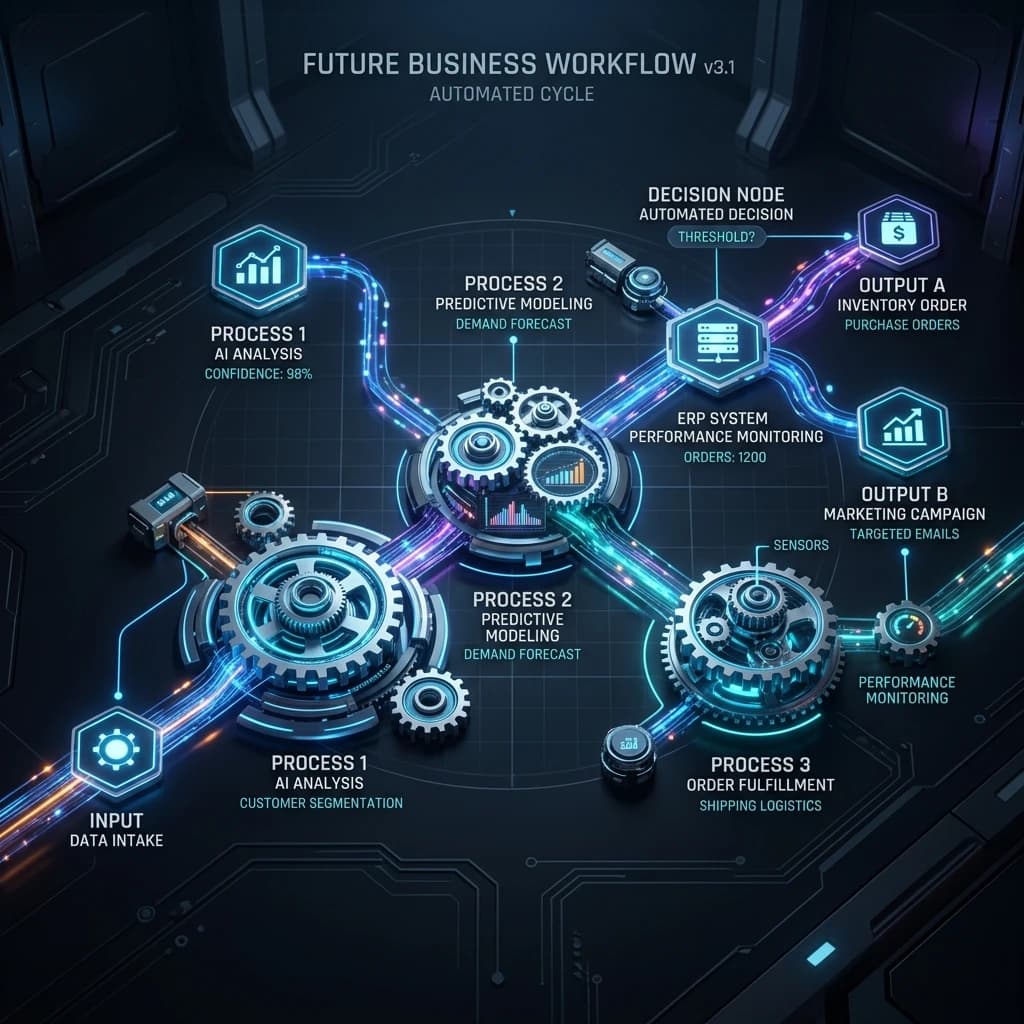
AI Workflow Automation Services for Connected Enterprise Operations
Automate repetitive work, coordinate complex processes, and move information securely across your business systems with intelligent workflow automation.
Mobiloitte designs AI-powered workflows that combine business rules, enterprise data, system integrations, AI models, human approvals, and operational controls. Our solutions help organizations reduce manual handoffs, accelerate routine decisions, manage exceptions, and create clearer visibility across departments.
From invoice processing and customer onboarding to service operations, compliance reviews, reporting, document handling, and cross-system reconciliation, we build workflows around the way your business actually operates.
Start with one high-impact process and scale automation across your enterprise.
Process Intelligence
Identify bottlenecks, repeated actions, approval delays, and system gaps before automation begins.
Intelligent Execution
Combine business rules, AI models, triggers, APIs, agents, and orchestration to complete work efficiently.
Human Governance
Keep approvals, exceptions, sensitive actions, and high-impact decisions under appropriate human control.
Operational Visibility
Monitor workflow status, queues, exceptions, cycle times, errors, and performance through centralized dashboards.
Replace Disconnected Manual Work With Intelligent, Governed Workflows
Many business processes still depend on emails, spreadsheets, repeated data entry, manual follow-ups, and employees moving information between disconnected systems.
Traditional workflow automation can handle predictable steps effectively. However, business processes often include unstructured documents, incomplete information, changing conditions, contextual decisions, and exceptions that cannot be managed through fixed rules alone.
AI workflow automation combines deterministic automation with artificial intelligence, enterprise data, system integrations, and human review. It enables organizations to automate both structured actions and selected judgment-oriented tasks without giving up control over sensitive decisions.
Mobiloitte helps organizations design, build, integrate, test, deploy, and continuously improve intelligent workflows that support measurable business outcomes.
What Is AI Workflow Automation?
AI workflow automation is the use of artificial intelligence and automation technologies to execute, coordinate, and optimize business processes across people, data, applications, and departments.
An AI-Powered Workflow May Include:
The objective is not to automate every decision. The objective is to apply the right level of automation to each step while maintaining accuracy, accountability, security, and human oversight.
Use the Right Automation Approach for Every Process
Not every workflow requires AI. Mobiloitte evaluates the process and applies the suitable combination of technologies.
Deterministic Automation
Best for stable, repetitive processes with clearly defined rules and predictable inputs.
- • Data sync & moving records
- • Scheduled notifications
- • Fixed criteria routing
- • Status field updates
AI-Assisted Automation
Best for workflows with documents, classification, summarization, or predictions.
- • Extracting document data
- • Support request classification
- • Case summarization
- • Anomaly detection
Agentic Automation
Best for complex workflows requiring goal-based planning across multiple tools & systems.
- • Multi-source case research
- • Dynamic exception handling
- • Agent coordination
- • Prepared human approvals
Human-Led Decisions
Best for actions involving legal, financial, regulatory, or customer-impacting judgment.
- • Automated data collection
- • Verification check prep
- • Decision recommendations
- • Final human sign-off
When Your Business Needs AI Workflow Automation
Operational bottlenecks solved by intelligent workflow orchestration.
Manual Handoffs Delay Work
Work slows down when handoffs happen via email or spreadsheets. Automated routing assigns tasks by rules, priority, and availability.
Employees Enter Same Data Twice
Info is copied between CRM, ERP, and finance systems. Integrated workflows synchronize approved data automatically.
Approvals Take Too Long
Purchase requests and contracts wait in inboxes. Automation routes approvals, sends reminders, and escalates overdue items.
Documents Require Repetitive Review
Invoices, applications, and claims are checked manually. AI document workflows extract fields and highlight missing data.
Teams Cannot See Workflow Status
Pending tasks are scattered across systems. Centralized workflow dashboards show status, bottlenecks, queue volume, and ownership.
Exceptions Have No Defined Path
Automation fails when unusual cases occur. We design explicit exception paths to transfer unclear cases with context.
Legacy Systems Do Not Communicate
Workflows depend on older software. Integration & orchestration layers coordinate approved actions without replacing systems.
Automation Pilots Do Not Scale
PoCs fail in production due to data quality or governance gaps. We design production readiness into architecture from day one.
Our AI Workflow Automation Services
Full-lifecycle capabilities across process discovery, architecture, integration, AI execution, and continuous optimization.
Automation Consulting & Discovery
Process mapping, bottleneck analysis, system reviews, data-readiness assessments, exception planning, and prioritized automation roadmaps.
Business Process Automation
Automate structured processes across departments—including approvals, request routing, data validation, task assignment, and status updates.
Intelligent Workflow Automation
Add AI where workflows require interpretation, document extraction, case summarization, contextual recommendations, or anomaly detection.
Agentic Workflow Automation
Design goal-oriented workflows where specialized AI agents collaborate, use tools, call APIs, manage state, and request approvals.
Workflow Orchestration
Build the logic connecting people, systems, APIs, queues, retries, conditional routing, approval checkpoints, and state management.
Enterprise Systems Integration
Connect workflows with CRM, ERP, ticketing, databases, message queues, and legacy applications via secure APIs and middleware.
Intelligent Document Automation
Automate document-heavy tasks—extracting, validating, comparing, and summarizing invoices, contracts, applications, and claims.
AI Copilots for Workflow Assistance
Embed copilots inside employee applications to summarize cases, retrieve information, recommend next steps, and trigger workflows.
Workflow Modernization
Assess fragile scripts or older RPA tools, upgrade exception handling, introduce AI intelligence, and strengthen governance controls.
AI Workflow Automation Capabilities
Technical building blocks for flexible, scalable enterprise automation.
Intelligent Task Routing
Assign requests based on priority, workload, skills, rules, or risk level.
Decision Automation
Apply rules and AI recommendations to support routine operational choices.
Human Approval Workflows
Pause sensitive steps and route to authorized employees for sign-off.
Exception Management
Identify ambiguous cases and transfer to human queues with context.
Cross-System Automation
Trigger actions across CRM, ERP, and operations based on system events.
Document Intelligence
Extract, validate, compare, and summarize structured & unstructured docs.
Conversational Initiation
Start workflows via chat, voice, mobile apps, email, or internal portals.
Workflow State Management
Maintain context across multi-step, multi-system, longer-running processes.
Dynamic Branching
Change paths dynamically based on data outputs or human input.
Event-Driven Automation
Start workflows instantly when relevant business events occur.
Alerts & Escalations
Notify teams when deadlines, SLA thresholds, or failures occur.
Operational Dashboards
Real-time visibility into active tasks, cycle times, and queue bottlenecks.
Use Cases Across Business Functions
Automated workflows tailored for core enterprise departments.
Finance & Accounting
- • Invoice data extraction & PO matching
- • Payment approval routing & expense review
- • Account reconciliation & vendor onboarding
- • Recurring financial report preparation
Customer Service
- • Request classification & ticket routing
- • Priority assignment & account info lookup
- • Response drafting & case escalation
- • Complaint tracking & case summaries
Sales & Marketing
- • Lead capture, enrichment & qualification
- • Territory routing & CRM record updates
- • Meeting scheduling & proposal approvals
- • Campaign request & content sign-offs
Human Resources
- • Candidate screening & interview scheduling
- • Employee onboarding & document collection
- • Leave approvals & policy request routing
- • Exit workflows & payroll change sign-offs
Information Technology
- • Service-request classification & prioritization
- • Access-request approval & software provisioning
- • Incident routing & change-request coordination
- • Alert enrichment & resolution follow-ups
Legal & Compliance
- • Contract intake & document classification
- • Clause extraction & review routing
- • Compliance checklist prep & evidence collection
- • Renewal reminders & audit trail prep
AI Executes Within Defined Boundaries. Your People Remain in Control.
Increase operational capacity without compromising security or accountability.
Role-Based Access
Strict permissions mapping user, service, and automation rights to organizational roles.
Human Approvals
Mandatory human review gates for financial, legal, customer-impacting, or high-risk actions.
Input & Output Guardrails
Validation checks to block invalid requests, prompt injection, and unacceptable AI outputs.
Audit Trails & Logs
Complete traceability of workflow events, decisions, system actions, approvals, and outcomes.
Start With the Level of Automation You Are Ready For
Flexible engagement options from strategy workshops to enterprise programs.
Discovery Workshop
Process mapping, bottleneck review, integration assessment, priority shortlist, and automation roadmap.
Proof of Concept
Validate AI extraction, integration feasibility, or decision logic on a single high-priority workflow scenario.
Automation MVP
Deploy a production-oriented workflow with core integrations, human approval gates, exception paths, and dashboards.
Enterprise Program
Cross-department automation strategy, shared orchestration standards, governance frameworks, and continuous optimization.
Build a Connected AI and Automation Ecosystem
Explore complementary services to scale intelligent automation.
AI Agent Development
Build goal-oriented agents that can reason, use tools, and coordinate multi-step tasks.
AI agent development servicesAI Assistants & Chatbots
Create conversational experiences for customers, employees, and operational teams.
enterprise AI assistantsAI Voice Automation
Automate selected voice interactions, service requests, reminders, and workflows.
AI voice automation solutionsCustom AI Software
Build tailored AI applications, platforms, and embedded intelligence.
custom AI software developmentAI Workflow Automation FAQs
Common questions regarding enterprise workflow automation, RPA comparison, exception handling, security, and timelines.
What is AI workflow automation?
AI workflow automation combines artificial intelligence with business rules, integrations, triggers, task routing, human approvals, and monitoring to automate business processes. It can manage both predictable steps and selected tasks that require document understanding, classification, summarization, contextual recommendations, or dynamic routing.
What is the difference between workflow automation and AI workflow automation?
Traditional workflow automation follows predefined rules and is best suited to stable, predictable processes. AI workflow automation adds capabilities such as natural-language understanding, document intelligence, classification, recommendation, anomaly detection, and agent-based task execution.
What is the difference between robotic process automation and AI workflow automation?
Robotic process automation generally imitates user actions within software interfaces and works well for repetitive, rule-based tasks. AI workflow automation coordinates a broader process across systems, people, data, APIs, AI models, and approval steps. RPA may be one component of the overall workflow.
What is agentic workflow automation?
Agentic workflow automation uses AI agents to pursue a defined goal, select approved tools, retrieve information, and complete multi-step activities. It is useful when the workflow path cannot be fully determined in advance. Governance, permissions, validation, and human oversight remain important.
Which workflows should a business automate first?
A strong first workflow usually has high transaction volume, repeated manual steps, clear inputs and outputs, frequent delays or errors, accessible system data, defined process ownership, measurable performance, and manageable operational risk.
Can AI workflow automation work with existing systems?
Yes. Many automation projects connect with existing CRM, ERP, service-management, finance, data, communication, and legacy systems via APIs, database access, files, events, or approved middleware.
Can you automate workflows involving legacy applications?
Legacy applications may be connected through APIs, databases, middleware, scheduled files, robotic process automation, or other approved integration methods. A technical assessment determines the safest approach.
Can employees approve or override automated decisions?
Yes. Human approval and override controls can be added at any relevant workflow stage. The system can route uncertain, high-risk, financial, legal, or policy-sensitive cases to authorized employees.
Can AI workflow automation process documents?
Yes. AI-enabled workflows can classify documents, extract fields, compare information, identify missing data, summarize content, and route documents for review.
How do you handle workflow exceptions?
Exception handling is designed before implementation. The workflow can retry an action, request missing information, use an approved fallback, alert the process owner, or route the case to a designated employee or queue.
How do you keep automated workflows secure?
Security measures include role-based access, least-privilege permissions, secure credential management, data encryption, audit logging, environment separation, input validation, human approval gates, and continuous monitoring.
How do you measure the ROI of workflow automation?
ROI may be measured through cycle-time reduction, lower manual effort, fewer errors, reduced rework, improved capacity, faster response, lower cost per transaction, or improved customer experience.
How long does an AI workflow automation project take?
The timeline depends on process complexity, number of systems, API availability, data quality, AI requirements, security reviews, and testing depth. A focused proof of concept or pilot can be completed in a few weeks.
How much does AI workflow automation cost?
Cost depends on workflow scope, integrations, transaction volume, AI usage, document processing, security, monitoring, and support requirements. A discovery assessment helps define the implementation scope.
Can workflow automation be deployed in phases?
Yes. A common phased path includes: 1. Discovery, 2. Proof of Concept, 3. Controlled MVP, 4. Department Rollout, and 5. Enterprise Expansion.
Can one workflow connect several departments?
Yes. A workflow can coordinate tasks across sales, finance, operations, service, HR, IT, procurement, and legal teams with defined responsibilities and access controls.
Can AI workflows run continuously?
Yes. Many workflows operate continuously or respond automatically when a business event occurs, subject to supporting system availability and required human approvals.
What happens when an integration fails?
The workflow can apply retry rules, send an alert, place the task in an exception queue, use an approved fallback, or wait for human intervention while keeping failures transparently logged.
Can existing RPA workflows be upgraded with AI?
Yes. Existing RPA processes can be enhanced with document intelligence, natural-language processing, AI recommendations, better orchestration, exception handling, dashboards, and human approvals.
Does AI workflow automation replace employees?
The goal is to reduce repetitive administrative work and manual copy-pasting, enabling employees to focus on analysis, customer relationships, strategy, complex exceptions, and decision-making.
How do you choose which AI model to use?
Model selection is based on required capabilities, accuracy, response time, privacy, deployment options, integration compatibility, context windows, and operating costs.
How is workflow performance monitored after launch?
Monitoring tracks cycle times, completion rates, errors, exceptions, human intervention frequency, system failures, model performance, queue volumes, operating costs, and user feedback.
Turn One Manual Process Into an Intelligent, Connected Workflow
Share the process your team wants to improve, the systems involved, the approvals required, and the problems causing delays. Mobiloitte will help you assess the workflow and define a practical automation roadmap.
Tell Us About Your Workflow Automation Use Case
Describe the process, systems, users, and operational challenge you want to automate. Our team will review your requirement and recommend an appropriate next step.