

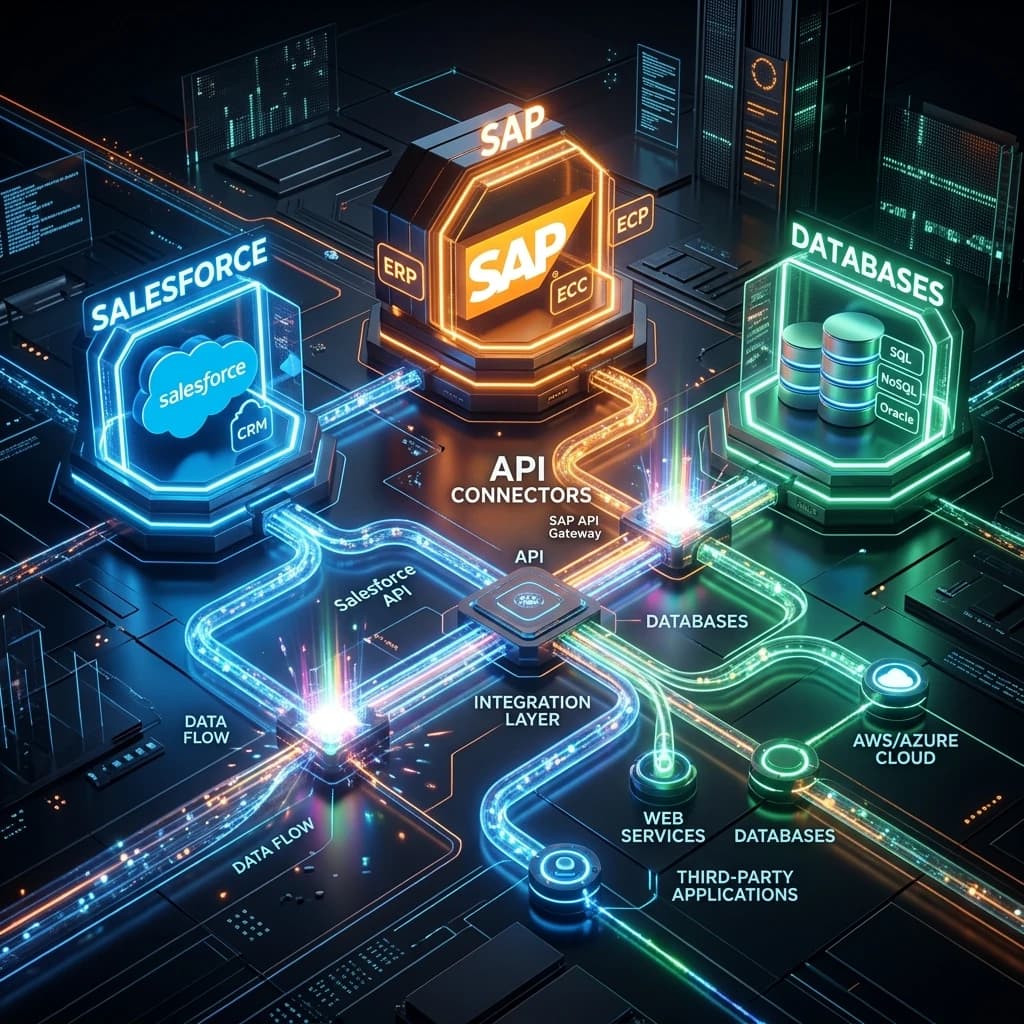
CRM and ERP Integration Services for Connected Business Operations
Connect customer, sales, finance, inventory, order, service, and operational systems through reliable integrations designed around your actual business workflows.
Mobiloitte develops secure APIs, synchronization pipelines, event-driven integrations, middleware, iPaaS workflows, data transformations, and monitoring systems that help CRM, ERP, accounting, commerce, support, and custom applications work together.
Whether you need to connect Salesforce with an ERP, synchronize HubSpot with finance systems, integrate a storefront with inventory, modernize fragile point-to-point connections, or improve visibility across a complex application landscape, we help you create a more coordinated operating environment without automatically replacing platforms that still provide value.
Start with one high-friction workflow, map the systems and data involved, and build a controlled integration roadmap.
Connected Workflows
Move customer, order, inventory, billing, service, and operational information through coordinated processes.
Trusted Data
Define record ownership, validation, transformations, reconciliation, and duplicate-prevention rules.
Reliable Operations
Use retries, queues, failure handling, monitoring, alerts, and recovery procedures for 24/7 uptime.
Controlled Modernization
Improve integrations incrementally while protecting stable systems and critical business operations.
Connect Front-Office and Back-Office Systems Without Creating More Complexity
CRM platforms help marketing, sales, and service teams manage relationships, opportunities, interactions, and customer activity. ERP systems support finance, inventory, procurement, production, fulfillment, billing, and other operational functions.
When these systems remain disconnected, teams often rely on spreadsheets, email, manual re-entry, nightly file transfers, and informal status checks.
A salesperson may not know whether inventory is available. A service employee may not see an unpaid invoice. Finance may receive incomplete order details. Operations may work from customer or product information that differs from the CRM. Leadership may review reports built from conflicting data.
CRM and ERP integration connects these systems while preserving their distinct responsibilities.
Mobiloitte helps organizations define clear integration boundaries:
What Is CRM and ERP Integration?
CRM and ERP integration is the process of connecting customer-facing systems with operational and financial systems so information and business events move between them according to defined rules.
CRM Systems (Front-Office)
- • Lead acquisition & sales pipelines
- • Customer communication & marketing activity
- • Service cases & account relationships
- • Renewals & customer retention
ERP Systems (Back-Office)
- • Financial transactions, billing & payments
- • Products, pricing rules, inventory & procurement
- • Sales orders & manufacturing operations
- • Fulfillment & supply-chain management
Choose the Right Systems Strategy
Integrate Existing Systems
Best when current CRM & ERP platforms are stable but need stronger data exchange and workflow coordination.
Modernize Integration Layer
Best when existing connections are fragile, undocumented, or direct point-to-point scripts need middleware standardization.
Extend Existing Platforms
Best when standard platform configuration cannot support custom approval workflows, partner portals, or specialized tools.
Replace a Platform
Appropriate when legacy systems are unsupported, insecure, unsustainable, or fundamentally block scaling.
When Your Organization Needs Systems Integration
Identify key operational pain points caused by disconnected software platforms.
Teams Re-enter the Same Information
Employees manually copy order, customer, product, or invoice details between applications.
Automate cross-system data flow to eliminate manual re-entry errors and save processing time.
Customer Records Do Not Match
Different account names, addresses, and IDs create duplicate records and reporting conflicts.
Establish master data ownership and validation rules across CRM and ERP.
Sales Cannot See Inventory or Delivery
Sales reps prepare quotes without live product availability or lead-time visibility.
Synchronize inventory availability and shipment tracking directly into the CRM interface.
Finance Receives Incomplete Orders
Orders arrive without approved pricing, tax details, shipping terms, or support docs.
Implement strict order validation before quotes convert into ERP sales orders.
Order-to-Cash Contains Manual Handoffs
Quotes, approvals, orders, fulfillment, and invoices rely on spreadsheets and email.
Automate end-to-end Quote-to-Cash workflows with real-time status updates.
Batch Jobs Fail Without Warning
Nightly file transfers fall behind, partially complete, or fail without notification.
Replace fragile batch jobs with event-driven pipelines and error alerting.
Point-to-Point Connections Break
Direct scripts create tight dependencies where one platform update breaks multiple flows.
Introduce middleware or iPaaS to decouple systems with canonical data models.
Reporting Does Not Reconcile
CRM pipeline, ERP orders, shipments, and revenue use conflicting definitions.
Standardize customer and product master data across all analytics platforms.
Legacy Systems Have Limited APIs
Older applications support only file transfers or database access rather than modern REST APIs.
Build custom adapters, API wrappers, or database connectors for secure integration.
Platform Upgrades Break Connections
Vendor schema changes or expired tokens unexpectedly interrupt sync workflows.
Implement API gateways, token management, and version-controlled contracts.
Failures Are Discovered Too Late
Without monitoring, integration failures are noticed only when customers complain.
Deploy centralized monitoring dashboards with real-time incident alerting.
Integration Ownership Is Unclear
Internal IT, vendors, and business teams assume another group owns sync health.
Define clear operational governance, runbooks, and managed support SLAs.
Our CRM, ERP, and Systems Integration Services
Full-lifecycle engineering from architecture strategy to custom connectors, iPaaS, testing, and managed support.
Strategy & Architecture Consulting
Assess landscape, map workflows, evaluate iPaaS vs custom middleware, and define roadmap.
CRM Integration Services
Connect CRM platforms with sales, marketing, service, finance, e-commerce, and support systems.
ERP Integration Services
Connect ERP platforms with customer, warehouse, manufacturing, financial, and BI platforms.
CRM-to-ERP Integration
Build coordinated Quote-to-Cash, customer master, order creation, and billing synchronization.
Enterprise Application Integration
Connect multiple enterprise platforms across CRM, ERP, HR, E-Commerce, Supply Chain, and BI.
API Development & Integration
Design and build REST/GraphQL APIs, API gateways, rate limiting, and developer portals.
iPaaS Implementation
Configure MuleSoft, Boomi, Jitterbit, or Azure Integration Services for central governance.
Middleware & ESB Development
Build canonical data models, message routing, protocol conversion, and queue management.
Event-Driven Integration
Near-real-time synchronization triggered by business events (order closed, inventory changed).
Data Synchronization Pipelines
Bidirectional or one-way sync, CDC, data transformation, validation, and deduplication.
Master Data Management (MDM)
Establish authoritative ownership for customer, product, pricing, and inventory records.
Legacy & Hybrid Systems Integration
Connect on-premises legacy databases and mainframes with cloud SaaS applications.
Cloud Integration Services
SaaS-to-cloud workflows, hybrid connectivity, serverless processing, and cloud messaging.
E-Commerce & ERP Integration
Synchronize storefront orders, inventory, pricing, fulfillment status, and customer records.
Accounting & Finance Integration
Automate invoice generation, payment status, AR, tax data, and subscription billing.
Supply Chain & Warehouse Integration
Connect sales with WMS, stock updates, purchase orders, shipments, and supplier portals.
Data Migration & Cleanup
Data profiling, field mapping, duplicate removal, transformation scripts, and validation.
Workflow Automation Across Systems
Multi-system approval flows for credit review, order creation, and contract renewal.
Custom Integration Connectors
Develop custom adapters for proprietary software, specialized databases, and IoT devices.
Integration Testing & QA
API contract testing, payload validation, volume testing, error handling, and security QA.
Integration Monitoring & Support
24/7 health dashboards, queue alerts, failed-record reprocessing, and managed support.
AI & Automation Integration
Connect CRM/ERP platforms with AI copilots, document extraction tools, and smart assistants.
Integration Patterns & System-of-Record Governance
Select the right architecture pattern and establish explicit data ownership before synchronization.
Point-to-Point
Direct connection for small, stable, single-purpose integrations.
Middleware / ESB
Central integration layer for message routing and protocol conversion.
iPaaS Managed Platform
Cloud integration platform for central governance and prebuilt connectors.
API-Led Architecture
Managed APIs exposing reusable business capabilities for mobile, web, and partners.
Event-Driven Architecture
Asynchronous processing through message queues (Kafka, RabbitMQ) for real-time events.
Batch & Secure File
Scheduled data transfers for legacy systems and large periodic datasets.
Change-Data Capture (CDC)
Database delta detection transmitting updates in near-real-time.
System-of-Record Data Ownership Matrix
| Data Object | Authoritative System | Receiving Systems |
|---|---|---|
| Lead & Opportunity | CRM | Analytics, ERP (after approval) |
| Customer Financial Record | ERP | CRM & Service Platforms |
| Product Master & SKUs | ERP / PIM | CRM, Storefront, Support |
| Inventory Availability | ERP / WMS | CRM & E-Commerce Storefront |
| Sales Order | ERP | CRM, Storefront, Service |
| Invoice & Payment Status | ERP / Finance | CRM & Customer Portal |
High-Value CRM and ERP Workflows
Proven integration scenarios connecting customer lifecycles with operational fulfillment.
Lead-to-Customer
Qualified opportunities trigger validated account creation in the operational system.
Quote-to-Order
Accepted quotes generate ERP sales orders with approved products, pricing, and terms.
Quote-to-Cash
Coordinates opportunity, quote, approval, order, fulfillment, invoice, and payment status.
Inventory Availability
Sales & service teams access live stock availability and lead times inside CRM.
Order Status & Fulfillment
Shipment, backorder, and partial delivery updates synchronize to CRM automatically.
Billing & Payment Status
CRM users see invoice payment and overdue status without opening finance tools.
Customer Service & Finance
Service reps see billing holds and warranty terms before committing to actions.
Product & Price List Sync
Approved SKUs, prices, discounts, and rules sync to CRM, CPQ, and commerce.
Returns & Refunds
Return authorizations, credit notes, refunds, and customer notifications coordinate automatically.
Subscription & Renewals
CRM renewal deals link directly with billing contracts, usage data, and entitlements.
Procurement & Supplier Onboarding
Supplier records, approvals, purchase orders, and payment terms sync seamlessly.
Field Service Coordination
Service requests trigger technician scheduling, inventory reservation, and invoicing.
Connected Systems Across the Enterprise
Sales
- Live inventory visibility
- Current pricing & discounts
- Credit status checks
- Order creation & tracking
- Invoice payment context
Customer Service
- Complete account history
- Order fulfillment status
- Billing context & holds
- Warranty & returns history
- Service case escalation
Finance & Accounting
- Validated customer records
- Complete order details
- Automated invoice generation
- Tax data synchronization
- Revenue recognition
Operations & Logistics
- Order demand visibility
- Fulfillment status updates
- Capacity planning
- Exception management
- Proof of delivery sync
Marketing
- Customer segmentation
- Campaign conversion tracking
- Purchase history analytics
- Consent synchronization
- Revenue attribution
Executive Leadership
- Pipeline-to-revenue reporting
- Order conversion metrics
- Fulfillment margins
- Customer profitability
- Accurate forecasting
Platform Ecosystem & Integration Security
We connect your existing enterprise software platforms using robust security controls.
CRM Platforms
Salesforce, HubSpot, Microsoft Dynamics 365, Zoho CRM, Oracle CRM, and custom CRM platforms.
ERP & Finance
NetSuite, SAP, Microsoft Dynamics ERP, Oracle ERP, Infor, Epicor, Sage, Odoo, QuickBooks, Xero.
Commerce & Support
Shopify, Adobe Commerce, ServiceNow, Zendesk, Freshdesk, Jira Service Management, MuleSoft, Boomi.
Secure Data Movement Across Connected Systems
14-Step Systems Integration Process
Disciplined delivery process ensuring clean data ownership, security, and minimal operational disruption.
Define Outcome
Identify workflow, teams, and expected improvement.
Assess Landscape
Review platforms, APIs, databases, files, and vendors.
Map Workflows
Document handoffs, delays, duplicates, and failure points.
Data Ownership
Establish authoritative systems and field update rules.
Architecture
Select APIs, iPaaS, middleware, events, or hybrid model.
Data Prep
Clean, map, standardize, validate, and reconcile data.
Build Connectors
Develop APIs, transformations, and workflow logic.
Security & Retry
Implement credentials, access controls, retries, and queues.
End-to-End Test
Validate standard, high-volume, and recovery scenarios.
Controlled Launch
Limit release by workflow, records, or business unit.
Monitor & Reconcile
Track transaction health, data quality, and completion.
Train & Support
Provide documentation, runbooks, and team guidance.
Optimize
Improve performance, workflow logic, and reporting.
Expand
Extend validated patterns to additional platforms.
Modernize Without Unnecessary System Replacement
Keep
Protect stable core systems and connections that perform reliably and remain supportable.
Improve
Add data validation, monitoring, security, documentation, and improved workflow logic.
Replace
Replace fragile point-to-point scripts and unmonitored connections with iPaaS/middleware.
Retire
Remove duplicate interfaces, abandoned batch scripts, and unnecessary data movements.
10 Key Business Benefits
Measurable operational advantages delivered by connected enterprise software.
Less Manual Entry
Move information automatically across platforms.
Consistent Records
Enforce authoritative ownership and validation.
Faster Quote-to-Cash
Coordinate quotes, orders, inventory, and billing.
Better Customer Visibility
Give sales & service live order and payment status.
Smart Inventory Decisions
Connect pipeline demand with current stock & WMS.
Faster Exception Resolution
Route failed transactions to the right owners.
Reliable Reporting
Build executive dashboards from reconciled data.
Stronger Platform Value
Extend ROI of existing CRM and ERP investments.
Lower Integration Risk
Replace fragile scripts with monitored patterns.
Easier Expansion
Use reusable APIs and standards for future tools.
Why Choose Mobiloitte for Systems Integration?
Platform-Flexible
Integrate APIs, iPaaS, middleware, files, and custom connectors.
Data Ownership by Design
Define master record authority before writing integration code.
Modern & Legacy
Connect cloud SaaS platforms with on-premises legacy databases.
Secure Engineering
Authentication, encryption, audit logs, and credential management.
Built-In Reliability
Retries, queues, idempotency, and automated recovery runbooks.
Controlled Modernization
Improve fragile connections while keeping stable core systems.
End-to-End Testing
Validate both technical payload accuracy and business flows.
Operational Visibility
Dashboards and alert triggers to catch sync issues early.
Managed Support
Ongoing monitoring, upgrade reviews, and continuous optimization.
Identify the First Workflow Worth Integrating
Bring one disconnected process to a focused discussion. Our integration architects will review your systems, data ownership, and target outcome.
Start with a measurable workflow such as customer creation, quote-to-order, inventory visibility, billing synchronization, or order-status updates.
CRM, ERP, and Systems Integration FAQs
Common questions from IT leaders, Operations executives, and Enterprise Architects considering CRM and ERP integration services.
What are CRM and ERP integration services?
CRM and ERP integration services connect customer-facing and operational systems so approved records and business events move between them automatically. The service may include consulting, APIs, middleware, iPaaS, data mapping, synchronization, migration, workflow automation, testing, monitoring, and support.
What is the difference between CRM and ERP?
CRM platforms manage customer relationships, sales pipelines, marketing campaigns, and service interactions, while ERP systems govern financial reporting, inventory, procurement, supply chain, and back-office enterprise operations.
Can ERP replace CRM?
Some ERP platforms include CRM functions, but the two systems generally serve different operational purposes. Whether one platform can replace the other depends on the organization’s sales, service, finance, and operational requirements.
Do we need to replace our ERP before integrating it?
Not necessarily. Most enterprise organizations significantly improve operational velocity through secure custom APIs, robust middleware layers, data cleanup, automated workflows, and unified reporting around existing legacy ERP systems.
What data is normally synchronized between CRM and ERP?
Common data includes accounts, contacts, products, pricing, quotes, orders, inventory, shipments, invoices, payments, service records, and returns. Only data required for the workflow should be synchronized.
Which system should own customer data?
Ownership may be divided. The CRM may own relationship and sales information, while the ERP owns billing, credit, tax, and financial records. Field-level ownership should be documented.
Can Salesforce be integrated with an ERP?
Yes, where suitable APIs or other connectivity options exist. The integration may support customer creation, product data, pricing, quotes, orders, inventory, invoices, payments, and service information.
Can HubSpot be connected with ERP and finance platforms?
Yes, Mobiloitte USA engineers custom API connectors and iPaaS workflows that synchronize HubSpot customer data, deal pipelines, and billing events directly with enterprise ERP and accounting platforms.
Can NetSuite be integrated with Salesforce or HubSpot?
Yes. Mobiloitte USA builds bi-directional NetSuite integrations connecting Salesforce or HubSpot to synchronize customer accounts, sales orders, inventory levels, billing status, and financial transaction records automatically.
Can Microsoft Dynamics CRM and ERP systems be connected?
Yes. Our integration architecture connects Microsoft Dynamics 365 CRM and ERP modules with external databases, third-party APIs, customer portals, and legacy systems using enterprise-grade middleware and security controls.
Can SAP be integrated with CRM and commerce platforms?
Yes. Mobiloitte USA delivers secure SAP ERP integrations connecting SAP S/4HANA or legacy SAP instances with commercial CRM, e-commerce storefronts, and customer service platforms through robust API gateways.
What is iPaaS?
Integration platform as a service is a managed platform that provides connectors, workflow design, data mapping, deployment, monitoring, and governance for integrations.
Do we need iPaaS?
Not every integration requires iPaaS. It may be beneficial when several applications, connectors, environments, teams, or workflows must be managed centrally across complex hybrid enterprise software ecosystems.
What is the difference between point-to-point integration and middleware?
Point-to-point integration connects two systems directly. Middleware provides a shared layer for routing, transformation, monitoring, security, and reusable services across several systems.
What is real-time synchronization?
Real-time or near-real-time synchronization processes data shortly after a defined event occurs. Not every process needs immediate synchronization; some data is better handled in scheduled batches.
Can older legacy systems be integrated?
Often yes, through databases, files, adapters, API wrappers, middleware, scheduled jobs, or controlled automation. Feasibility depends on the system and its available access methods.
How do you prevent duplicate customer records?
Controls may include unique identifiers, matching rules, data standardization, duplicate detection, system-of-record ownership, approval workflows, and reconciliation.
What happens when an integration fails?
The integration can retry, place the transaction in a queue, alert an owner, preserve the error details, and allow reprocessing after the issue is corrected. The exact response depends on workflow risk.
How do you monitor integrations?
Monitoring may track transactions, failures, retries, latency, queues, credentials, APIs, reconciliation, and business completion across all connected CRM, ERP, and data pipeline endpoints.
How do you secure API integrations?
Security may include authentication, authorization, encryption, least privilege, token management, rate limiting, payload validation, logging, network controls, and credential rotation.
Can CRM and ERP workflows require human approval?
Yes. Sensitive changes such as credit terms, discounts, billing information, tax status, or high-value orders can be routed for approval before updating financial records.
Can integration improve reporting?
Yes, when shared data is governed consistently. Integration alone cannot produce reliable reporting if definitions and ownership remain unclear across business units.
Can you integrate e-commerce with ERP?
Yes. Common workflows include products, pricing, inventory, orders, shipping, returns, refunds, customer records, and payment reconciliation.
Can CRM and ERP integration support AI agents?
Yes, but AI access should be limited to approved data and actions. AI-generated or agent-triggered activity may require validation, audit logging, and human review.
How long does CRM and ERP integration take?
The timeline depends on systems, workflows, data quality, APIs, customizations, transaction volume, security, migration, testing, and rollout scope. A focused workflow is generally faster than an enterprise integration program.
How much does CRM and ERP integration cost?
Cost depends on system complexity, data, connectors, middleware, workflows, transformations, security, testing, licensing, monitoring, and support. An assessment is required for a responsible estimate.
Can an integration be delivered in phases?
Yes. A phased approach can begin with one workflow or data object, validate the design, and then expand to additional systems and processes.
Who owns the integration after launch?
Ownership should be explicitly defined. It may be assigned to internal IT, a platform team, a managed-services provider, Mobiloitte, or a shared operating model.
Do you provide ongoing integration support?
Yes. Support may include monitoring, incident resolution, reconciliation, connector updates, credential changes, platform upgrades, and enhancements.
Connect With Us About Systems Integration
Discuss how our integration engineers, APIs, middleware, and iPaaS solutions can connect your front-office and back-office operations.